Suppliers price list
This feature allow to keep track of the products provided by the suppliers, it is possible to store the price of the product at the supplier and the supplier product code.
The same product can be associated to different suppliers.
Creation and visualization of the supplier price list
Section: Suppliers > Click on a supplier > Click on the + button
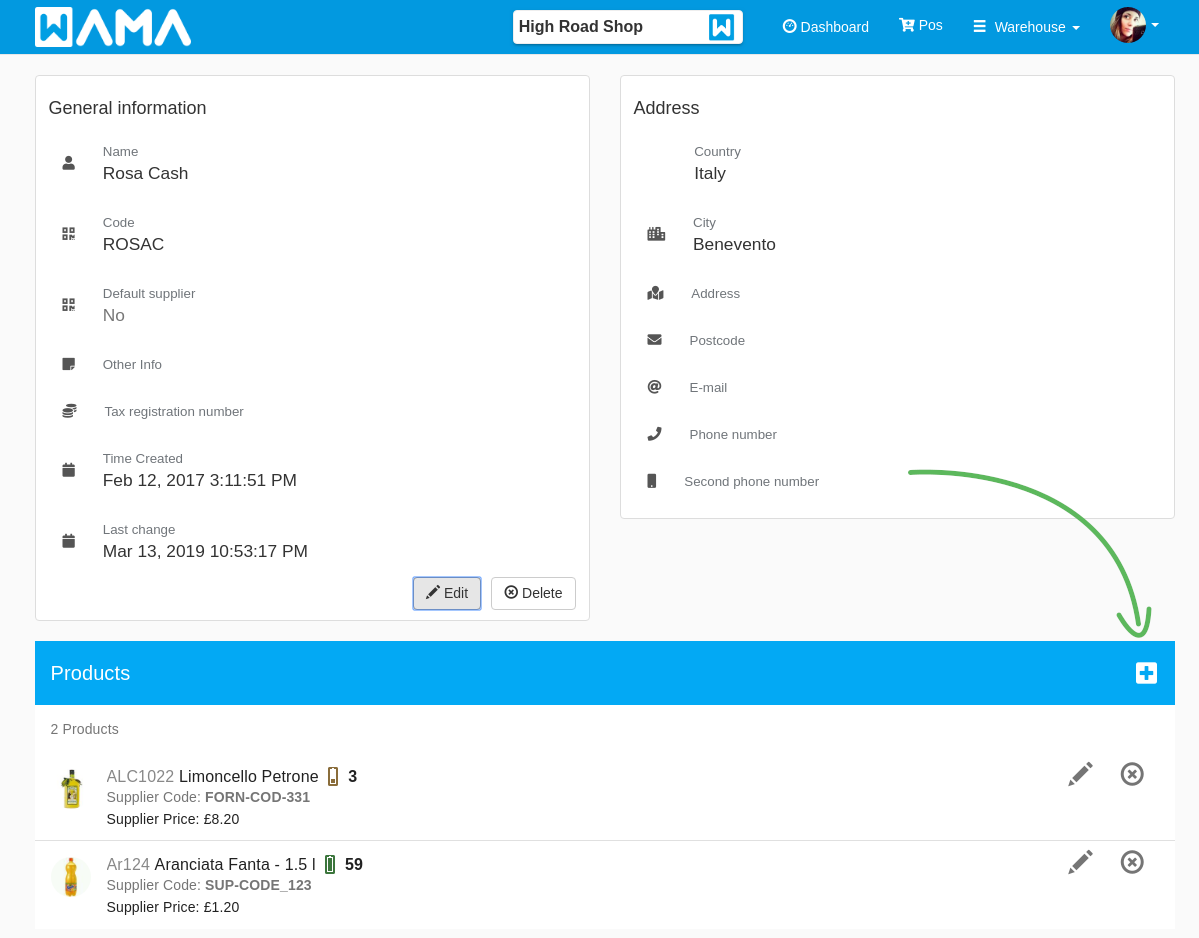
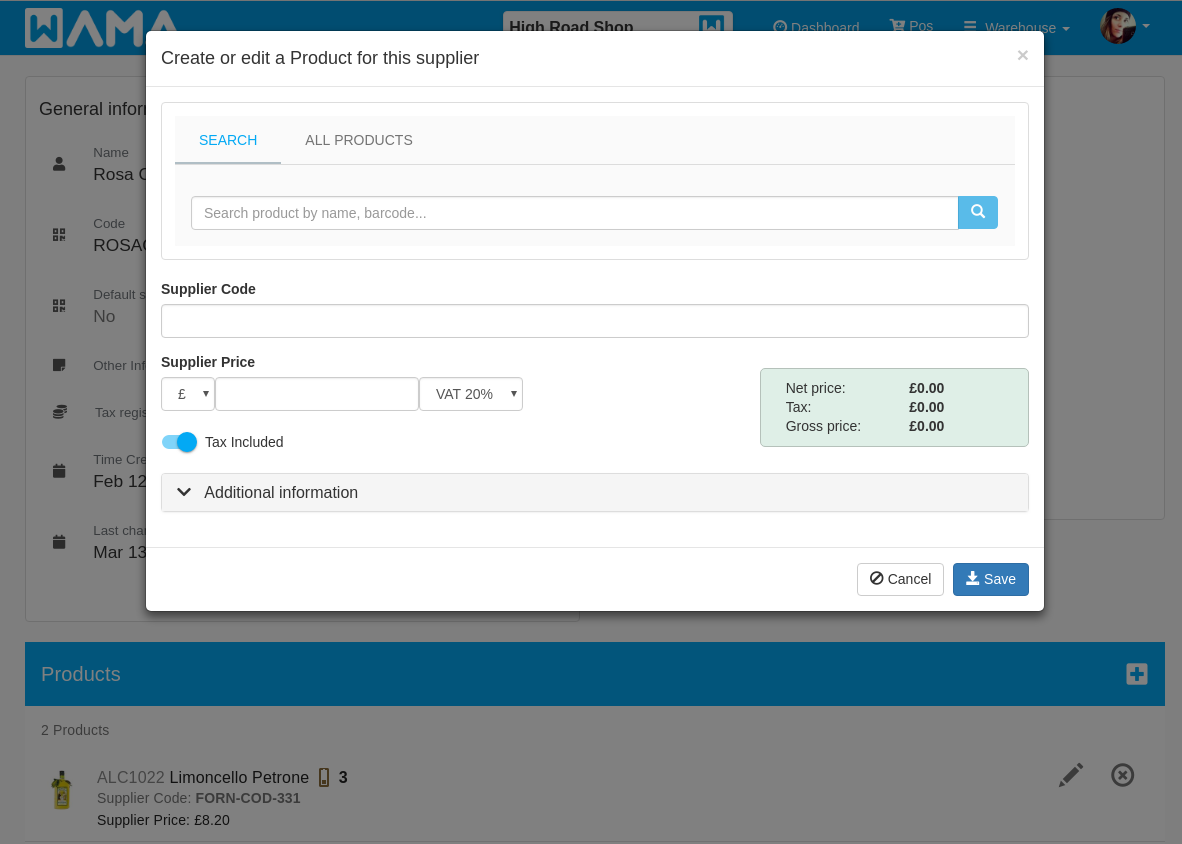
By clicking on the + button a popup will appear, the following information can be filled in:
- Product: The product to be associated to the supplier, it can be searched or selected by the list of all products
- Supplier Product Code: The code of the product as identified by the supplier
- Supplier Product Price: The price of the product offered by the supplier
After saving at the bottom of the page will be displayed the list of products associated to the supplier.
Visualization of the product suppliers
Section: Products > Click on a product > Click on the ... button at the top right > Suppliers price list
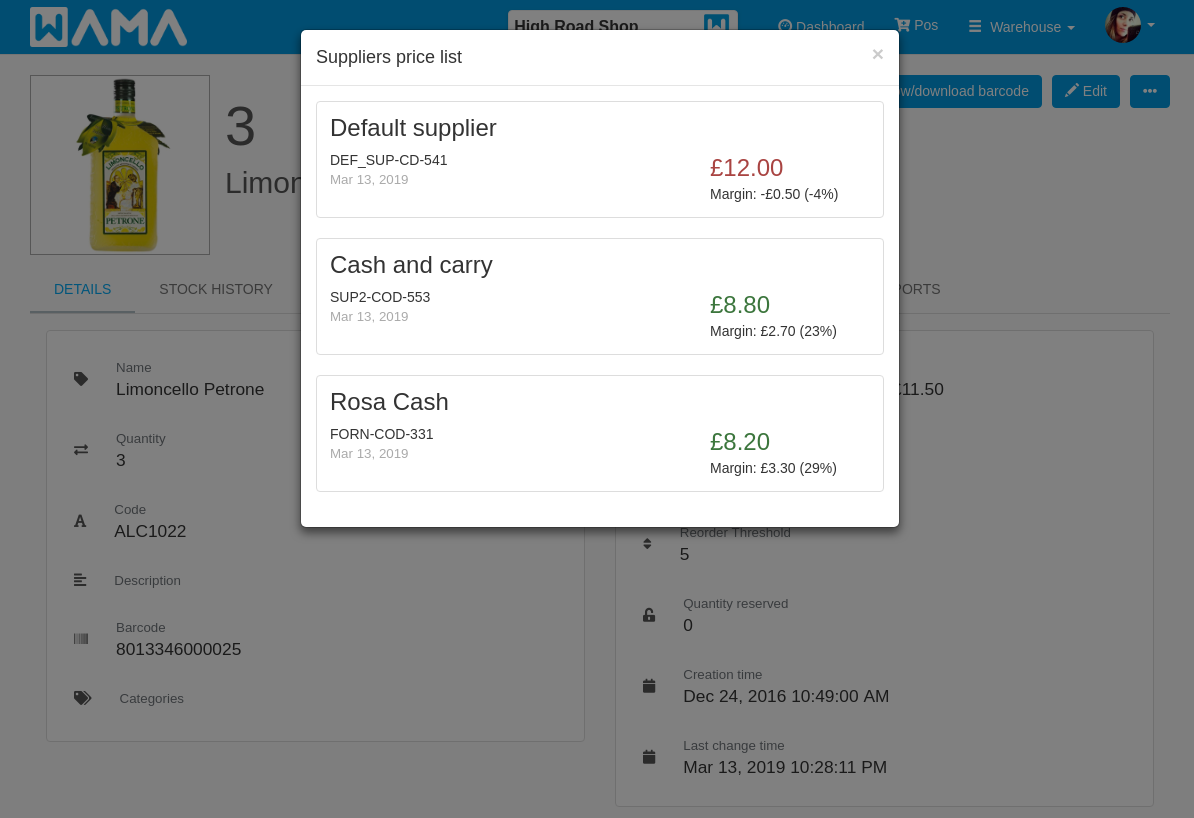
The popup shows all the suppliers for the selected product. It also shows the product price offered by each supplier and the margin calculated on the selling price of the product if available.