Categories, locations, suppliers and customers
These master data sections live under the Warehouse menu. They help you organise products and link stock movements, purchases, and sales to the right partners and places.
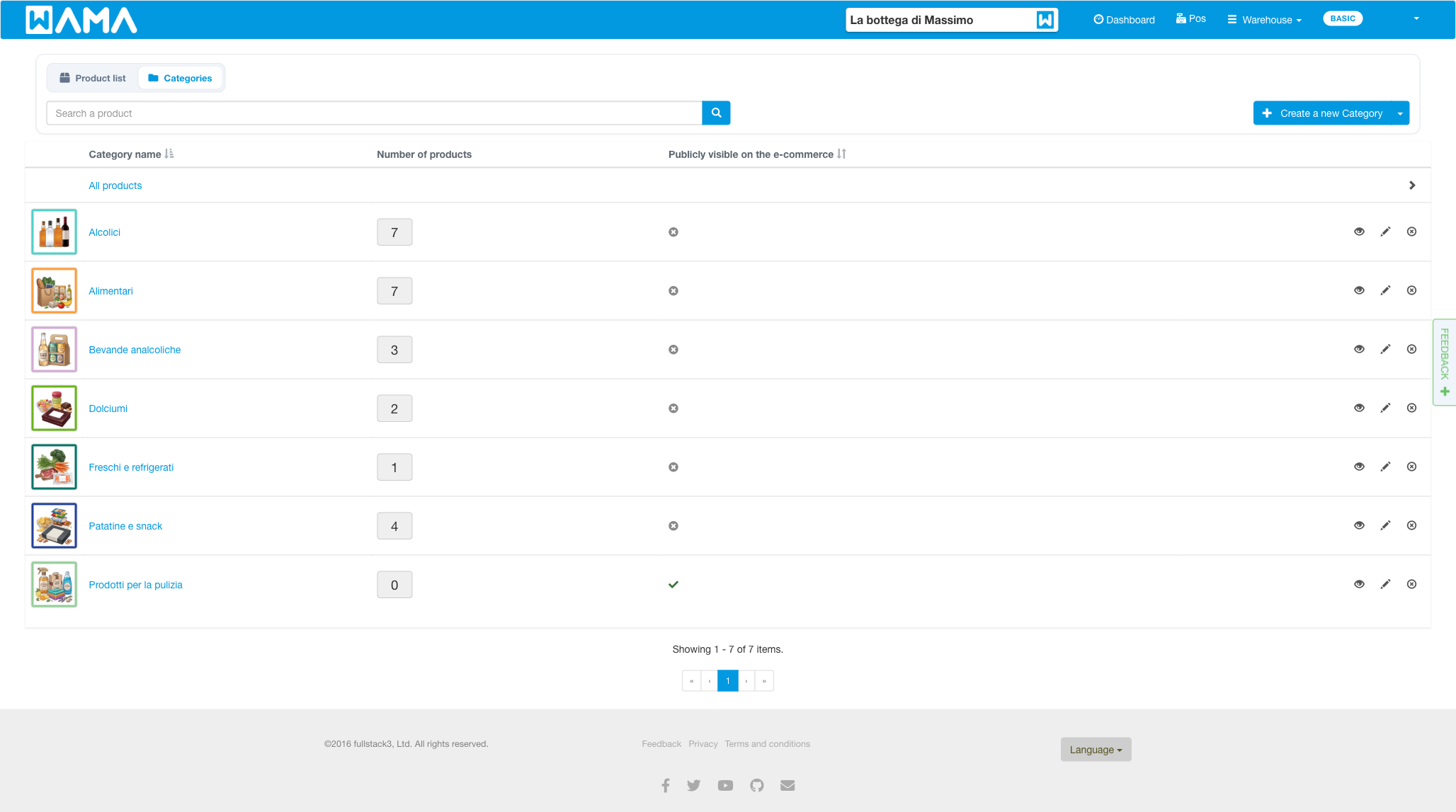
Categories
Section: Warehouse > Categories, or Categories.
Categories group products (for example by type or brand). A product can belong to one or more categories. You can set a colour, a parent category, and whether the category is visible in the online shop.
Locations
Section: Warehouse > Locations, or Locations.
Locations represent places inside the warehouse (shelf, aisle, room). When you change a product quantity you can assign a location. Each product can have a Default location used when none is selected.
Locations can also be created or updated in bulk via Import / Export.
Suppliers
Section: Warehouse > Suppliers, or Suppliers.
Suppliers are the companies you buy from. Assign a supplier when increasing stock or creating a purchase order. Each product can have a Default supplier.
For supplier-specific product codes and prices, see Suppliers price list.
Customers
Section: Warehouse > Customers, or Customers.
Customers are buyers used on sales orders and at the POS. You can store contact details, addresses, and link customer price lists or loyalty cards.
Customers can also be imported via Import / Export.
Note
Android app: Categories are in the bottom bar on phones or the side navigation rail on tablets; customers can be created from the menu. Contact import from the device is available where supported.