Loyalty cards
Loyalty cards let you offer special prices at the POS when a customer presents a card number (typed or scanned). With the Loyalty points module enabled, completed sales can also earn points on the card.
Section: Top menu Warehouse > Loyalty Card, or go to Loyalty Cards.
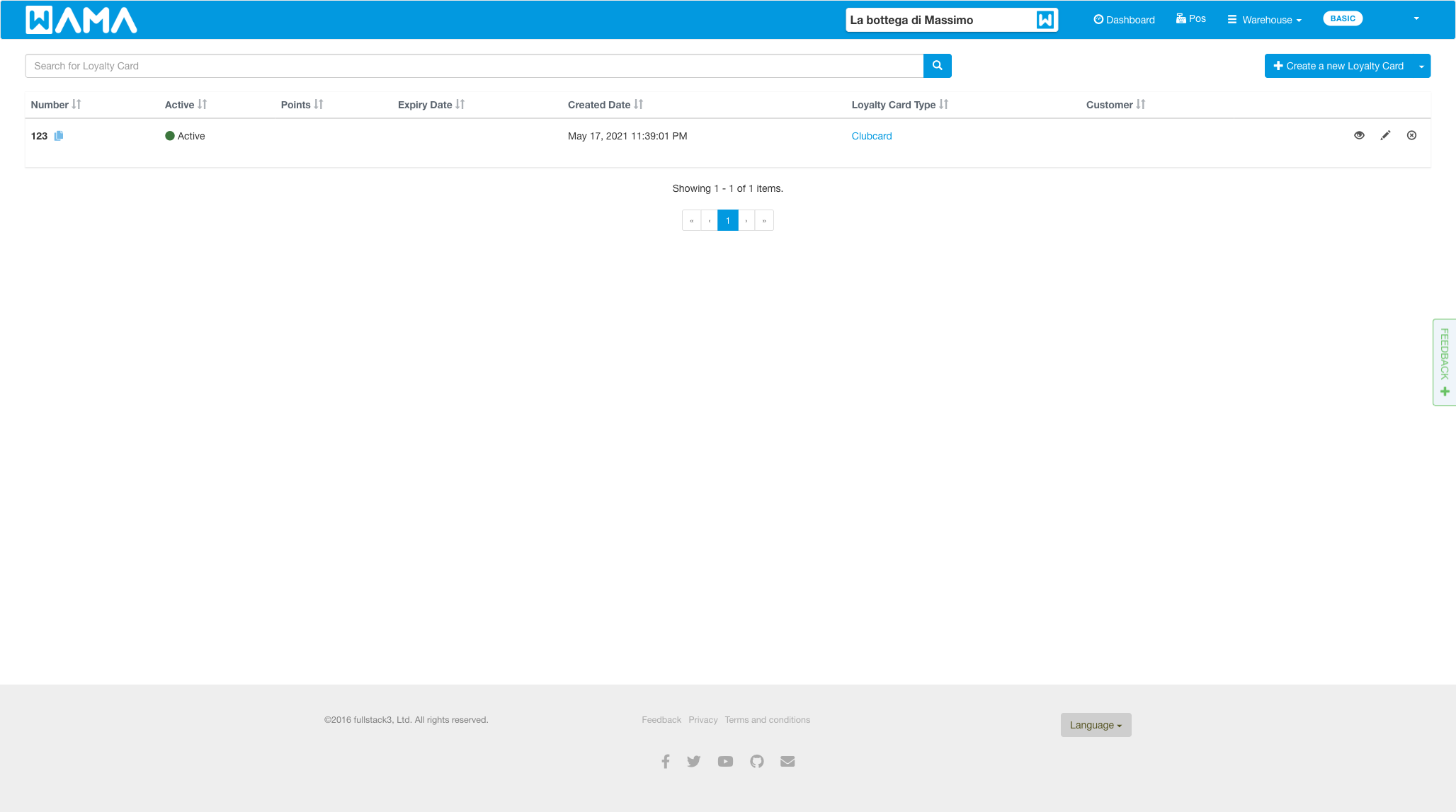
Create a loyalty card type
Types group cards and define which product prices apply (for example Clubcard, Gold, or Silver).
- On the loyalty cards list, click Manage types.
- Click Create a new Loyalty Card Type, enter a Name, and save.
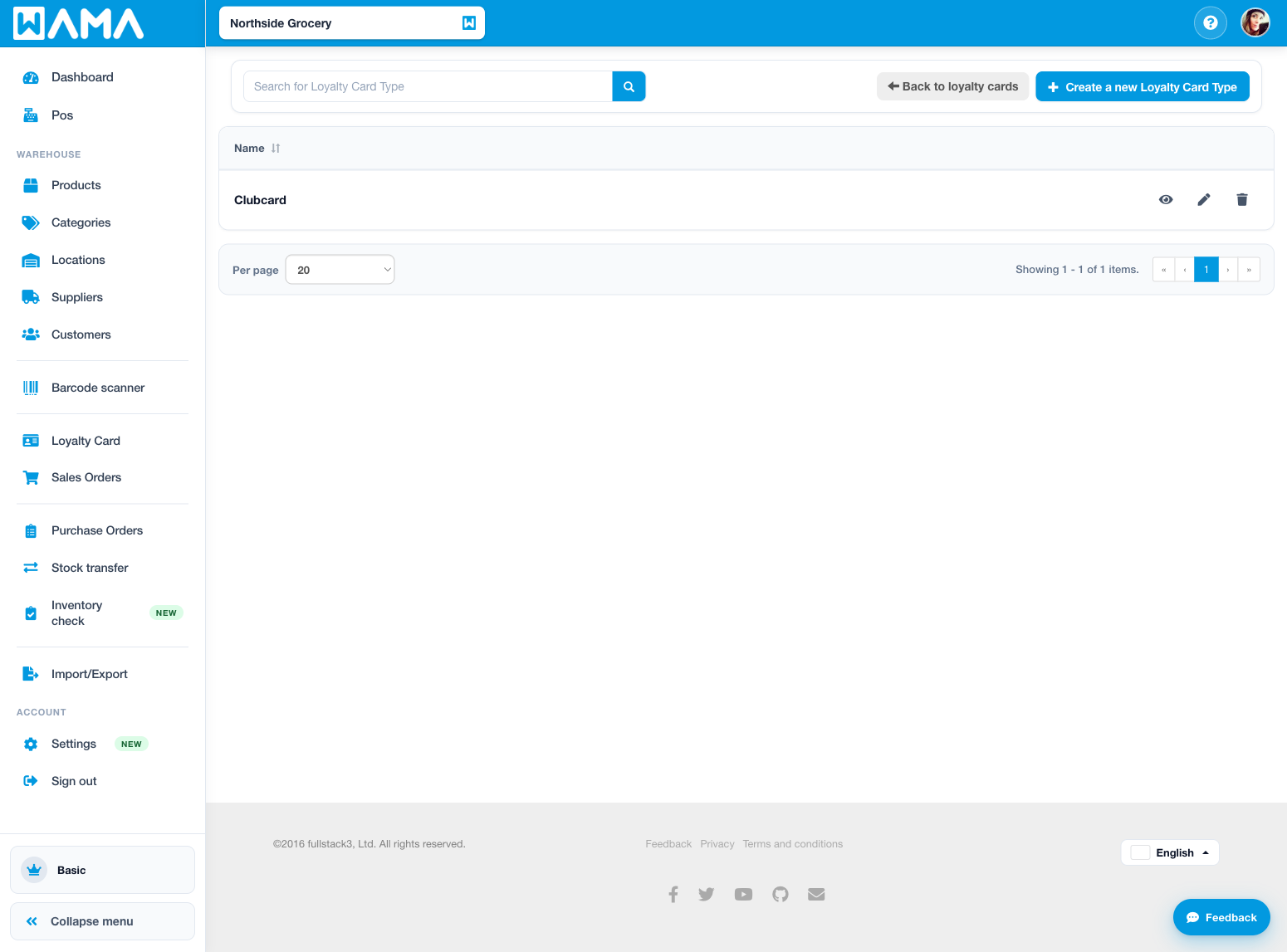
You can also create the first type from the loyalty cards Get started flow when no types exist yet.
Create a loyalty card
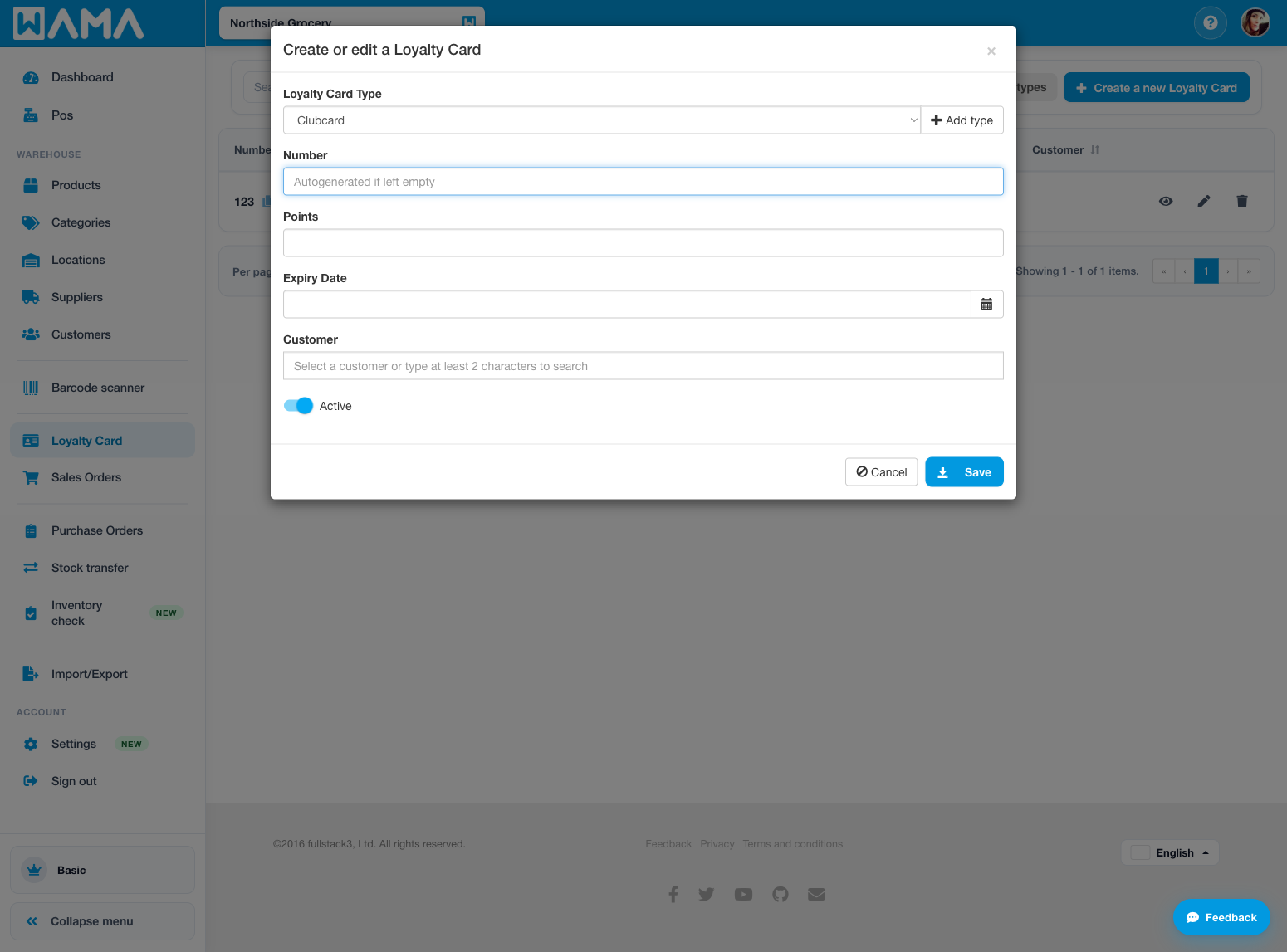
- Click Create a new Loyalty Card.
- Fill in:
- Number — code entered or scanned at the POS (autogenerated if left empty)
- Loyalty Card Type
- Expiry Date (optional)
- Customer (optional)
- Active or inactive
- Click Save.
Points are not set when creating a card. The balance is updated by completed sales (when the Loyalty points module is on) or by a manual adjustment on the card detail page.
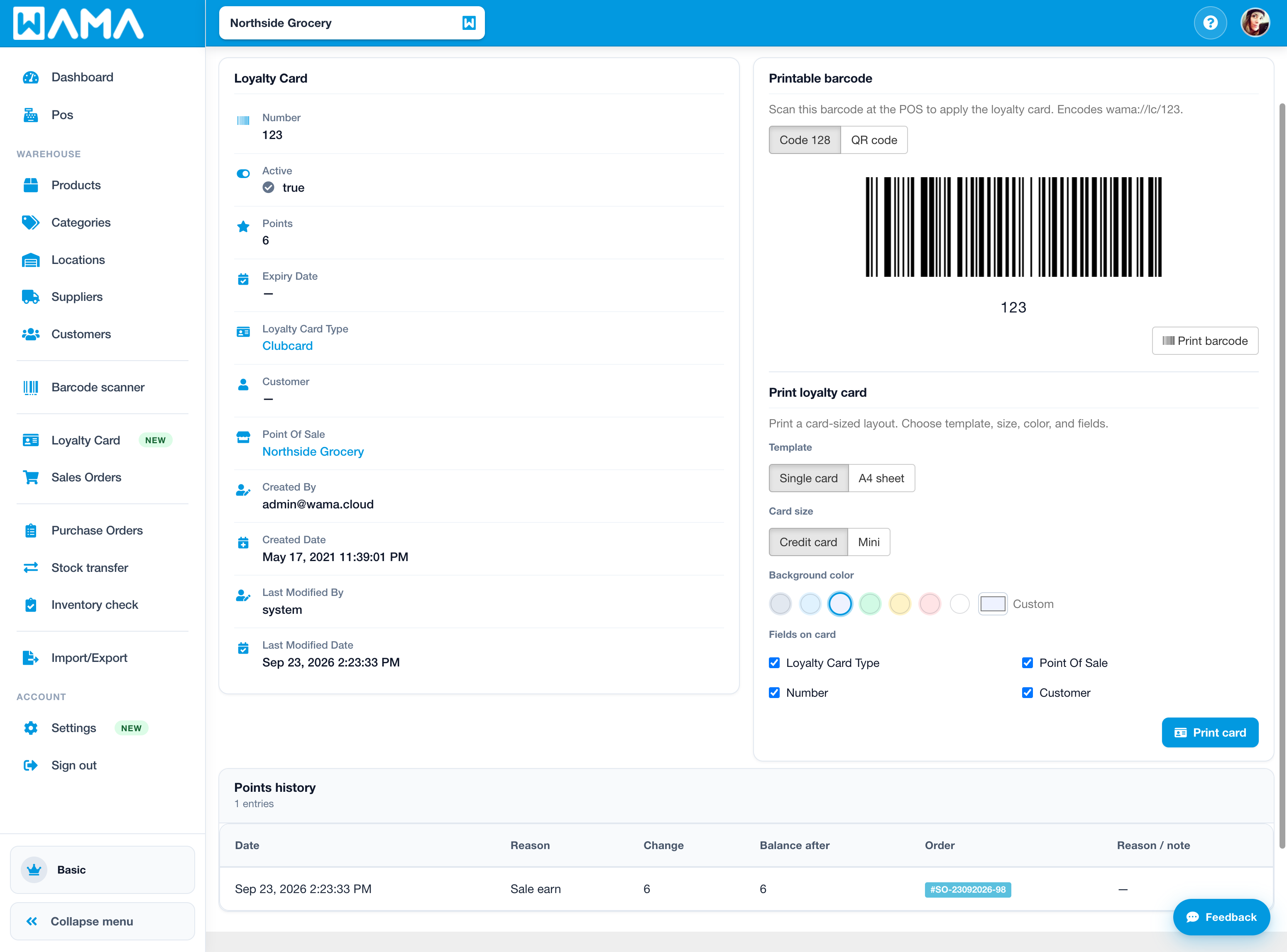
Printable barcode and print card
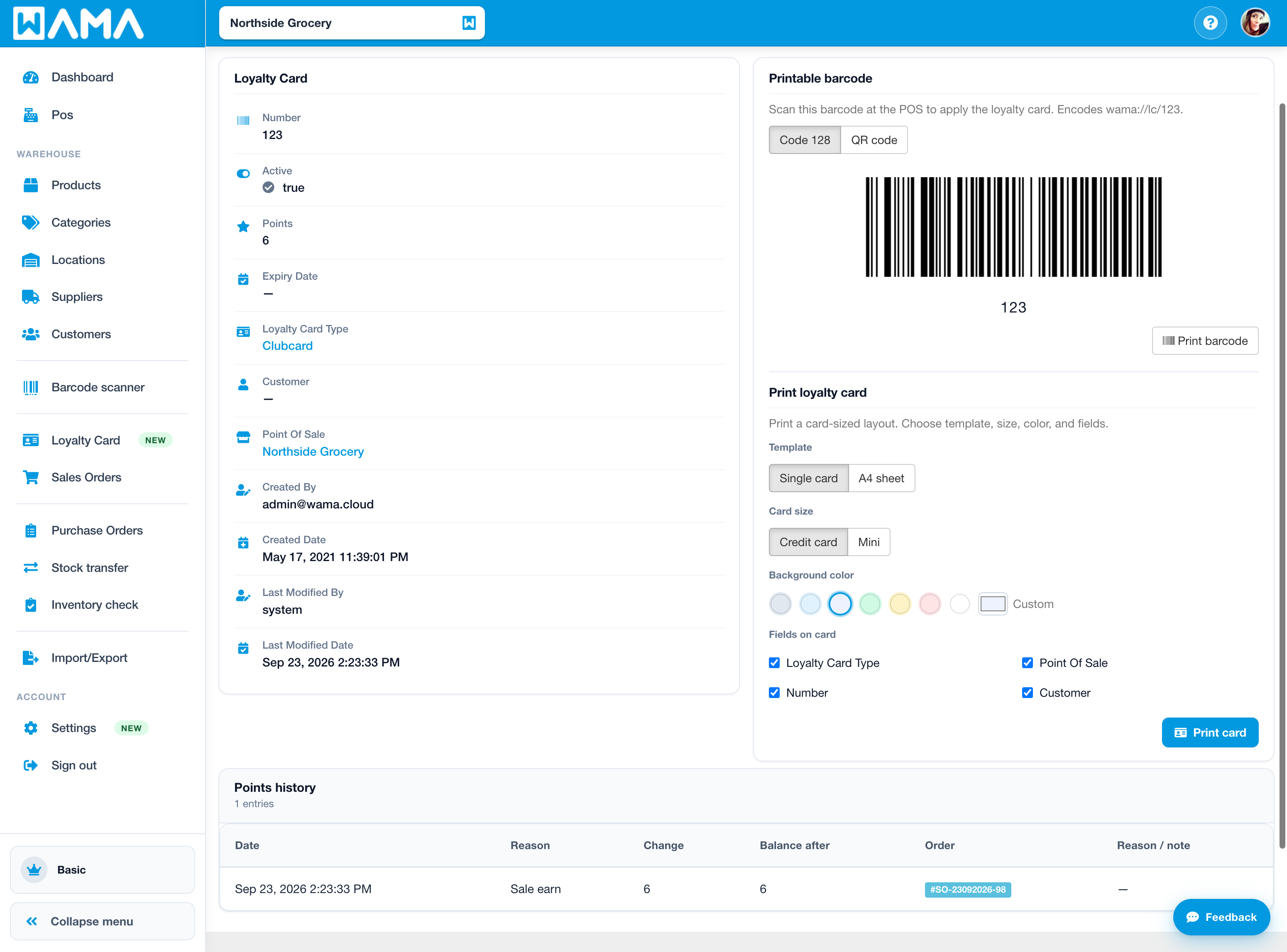
Open a card (view) to see the printable barcode and print loyalty card options. Scan the barcode at the POS to apply the card. You can switch between Code 128 and QR code, or print a card-sized layout.
Loyalty points
Enable points from Settings > Modules > Loyalty points, then open Customise settings to set Points per currency unit (for example 1 awards one point per euro spent on the order total after discounts).
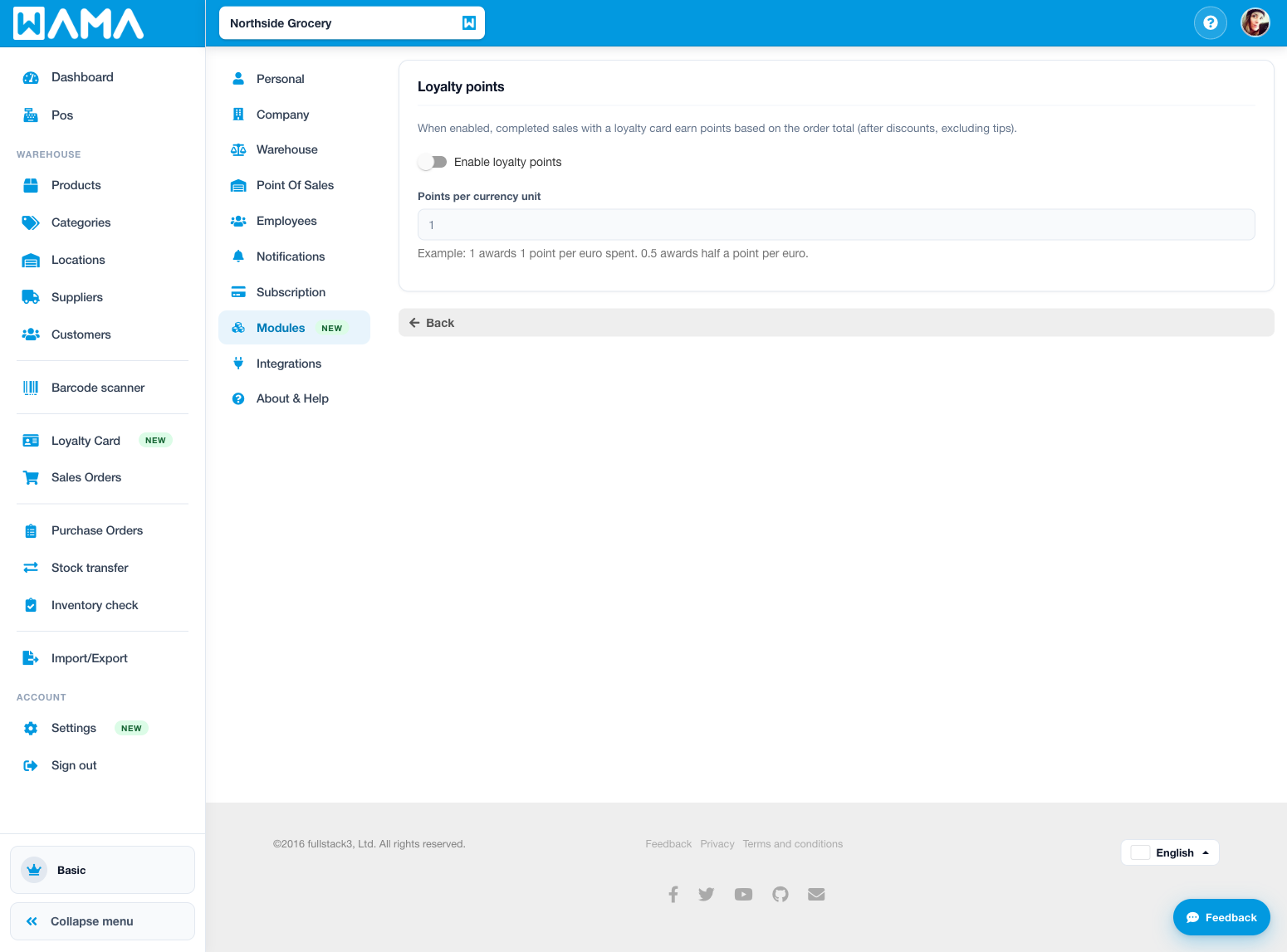
Points are earned on completed sales orders when a loyalty card is applied at the POS (or on the order). The earn uses the order total after discounts (tips are excluded). Cancelling a sales order reverses the related points.
On the card detail page:
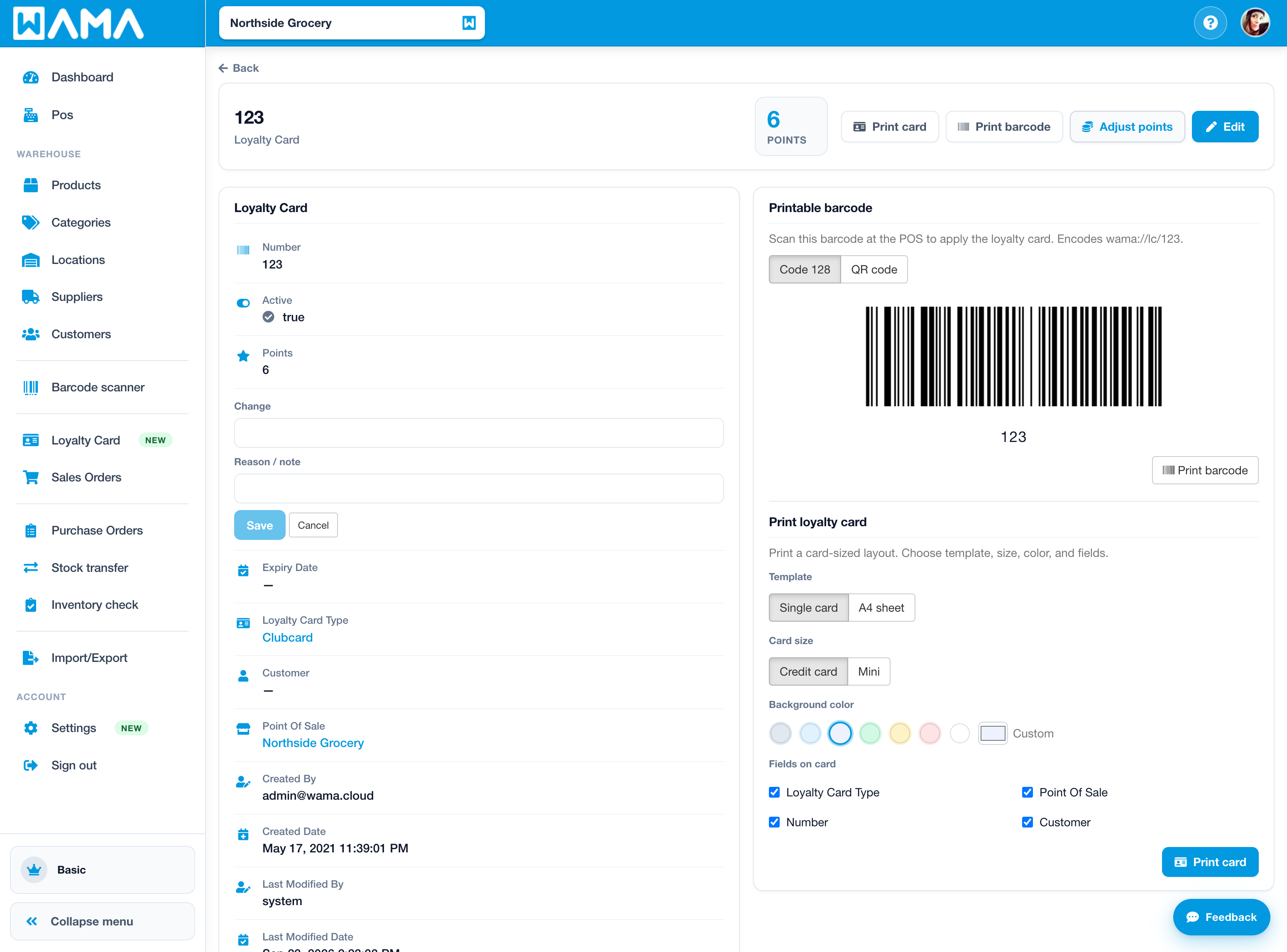
- Check the read-only points balance.
- Click Adjust points to add or subtract points. Enter a non-zero Change and a Reason / note, then save.
- Review Points history for sale earns, cancellations, and manual adjustments. Rows linked to a sales order open that order.
Points cannot go below zero. Redeeming points at checkout is not available yet.
Product loyalty price
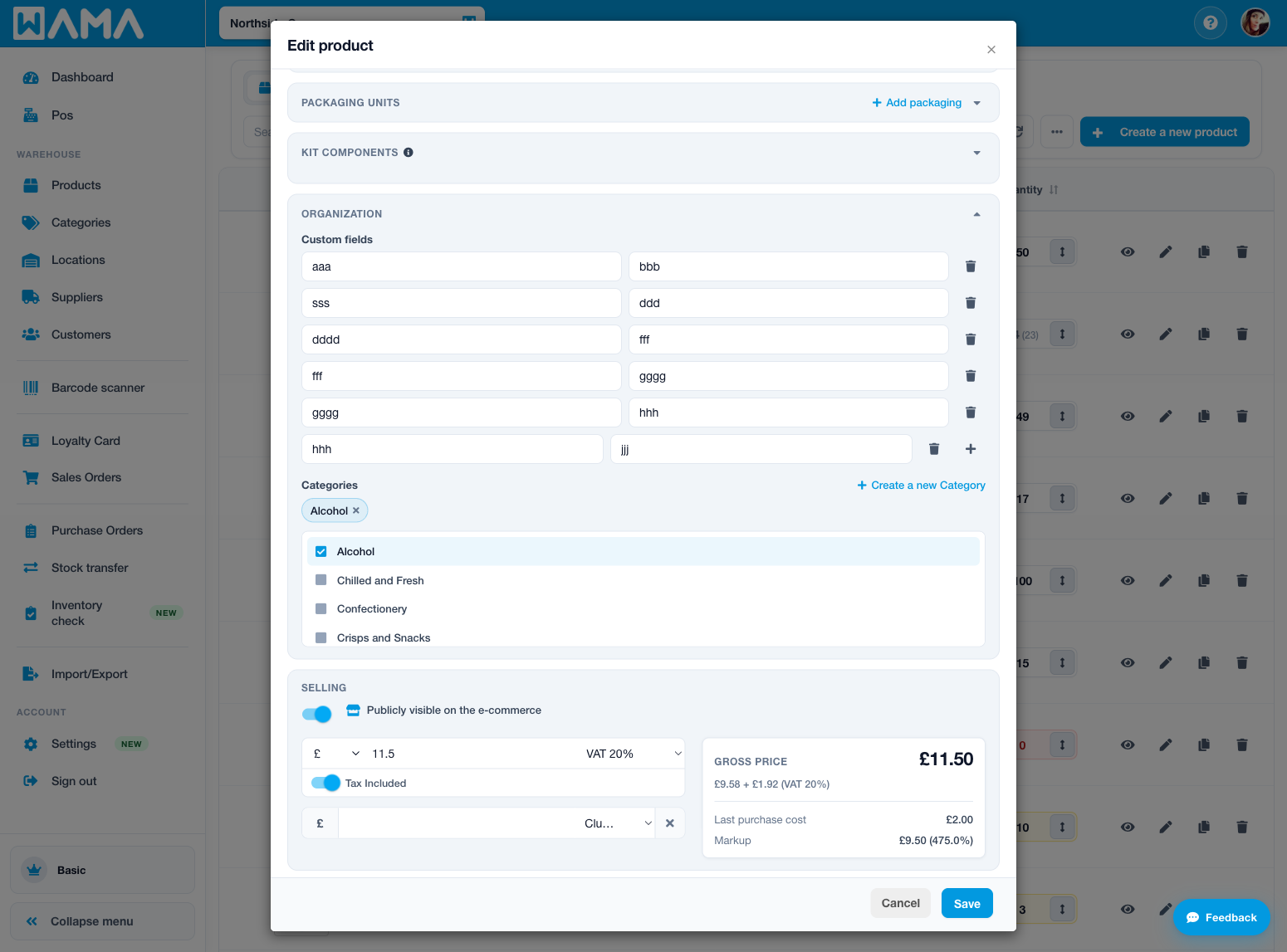
On a product, under the selling price, set a Loyalty card price for a loyalty card type. When that card is applied at the POS, matching products use this price instead of the regular selling price.
Use at the POS
When creating a sales order in the POS:
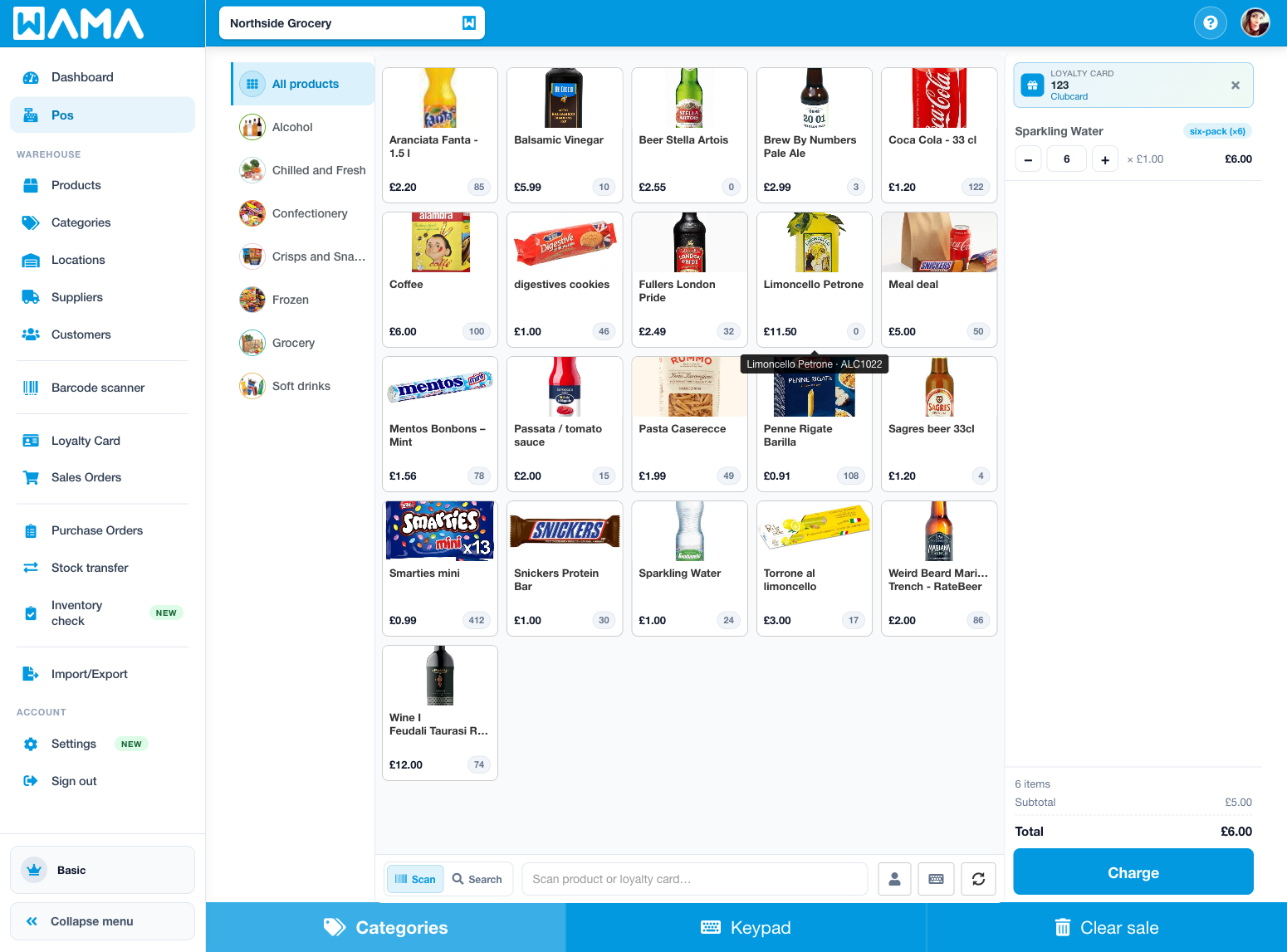
- Scan the loyalty card barcode, or type the card number in Scan product or loyalty card….
- Or choose Add loyalty card, enter the Number, and click Apply.
If the card is active and not expired, matching products use the Loyalty card price for that card type. The applied card label can show the current points balance. You can remove the card from the order if needed.
Note
Android app: You can also manage loyalty cards, points, and product loyalty prices on Android. See Loyalty cards (Android).