Expiry dates
You can associate an expiry (best-before) date with a stock movement. When you load stock you can set the expiry date for that quantity. When you unload stock you can select which expiry date is leaving the warehouse.
For the full web guide (module settings, dashboard alerts, import/export), see Expiry dates.
Activate expiry dates
Expiry dates are not enabled by default.
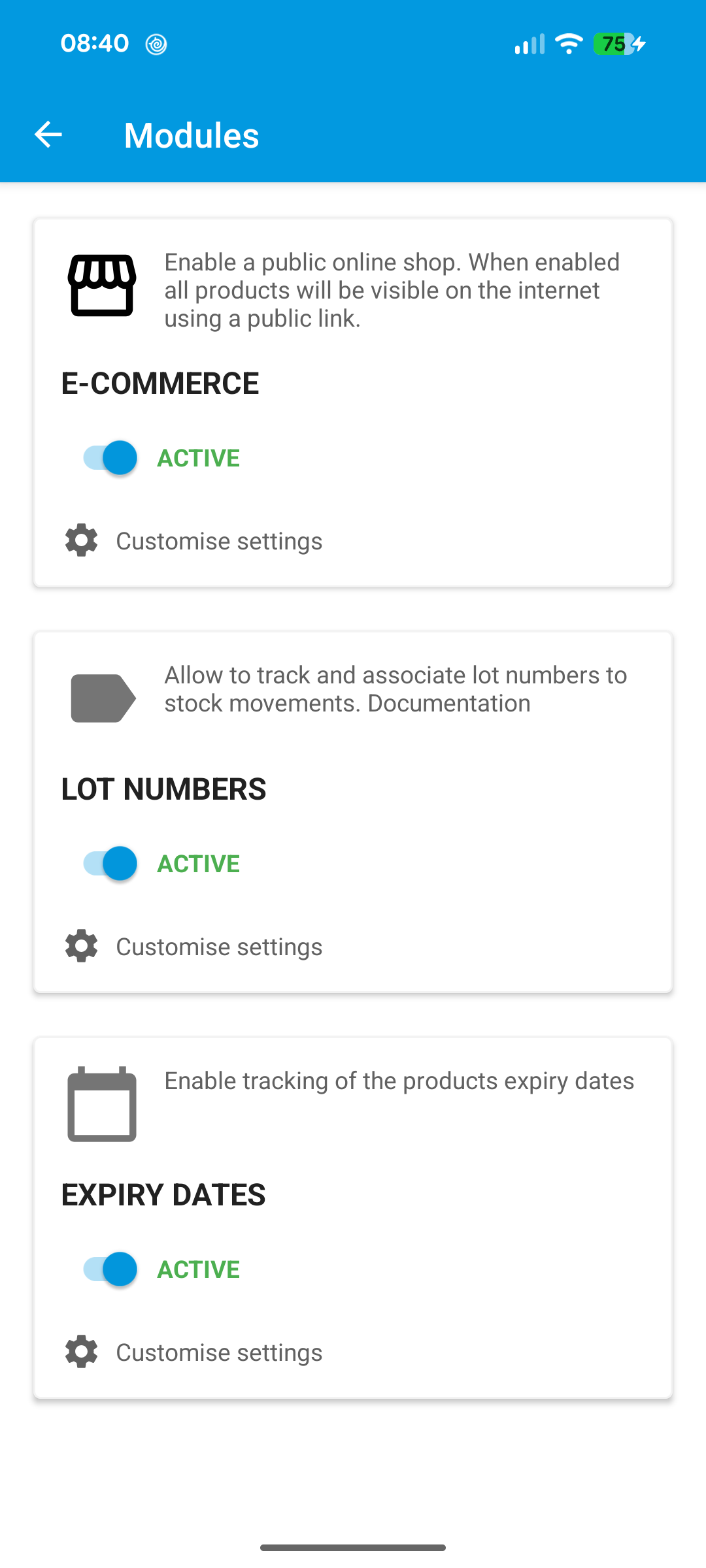
- Open Settings > Modules (or Company / modules, depending on your app version).
- Enable Expiry dates / expiry date tracking.
A paid subscription is required.
Load stock with an expiry date
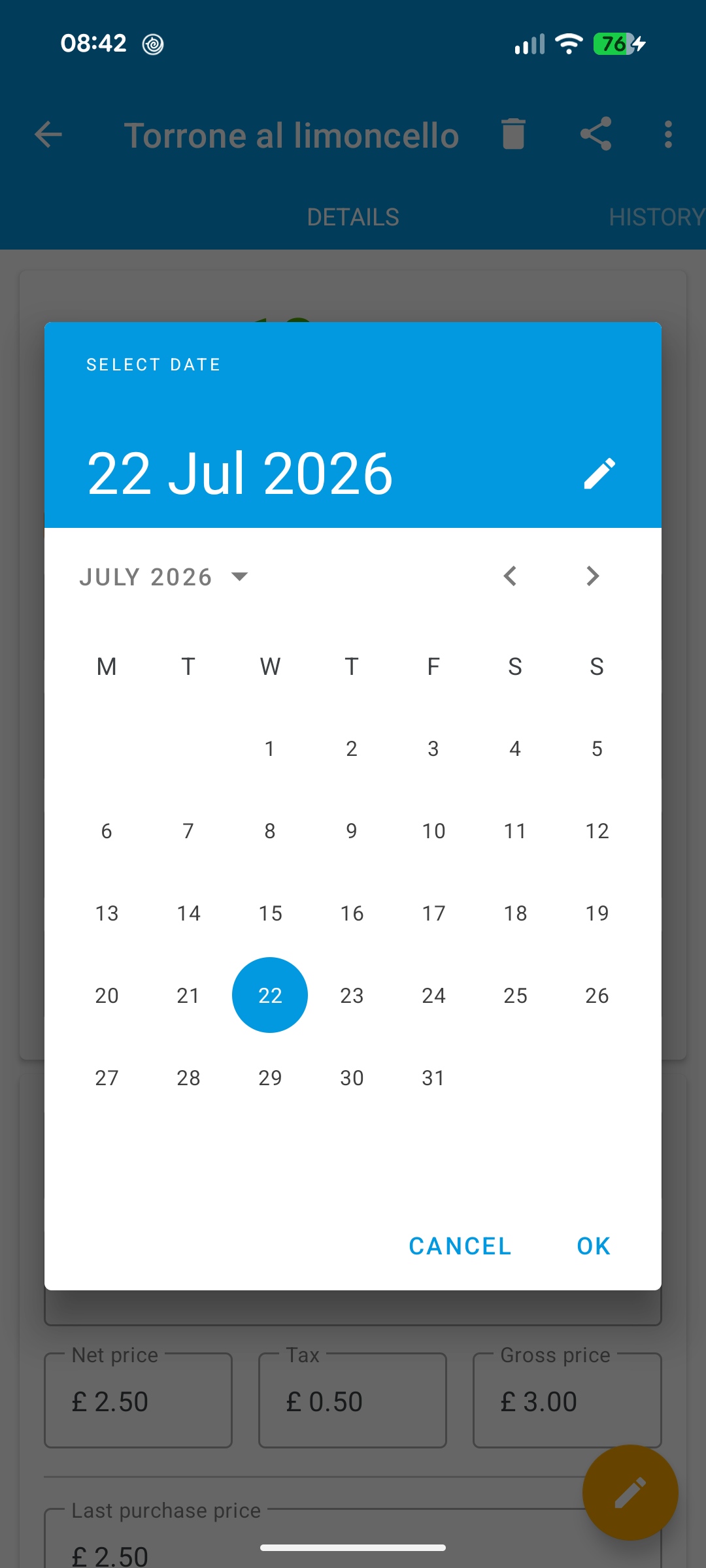
When increasing product quantity (product detail or scanner), select the expiry date for the quantity you are loading, for example with the calendar.
Unload stock with an expiry date
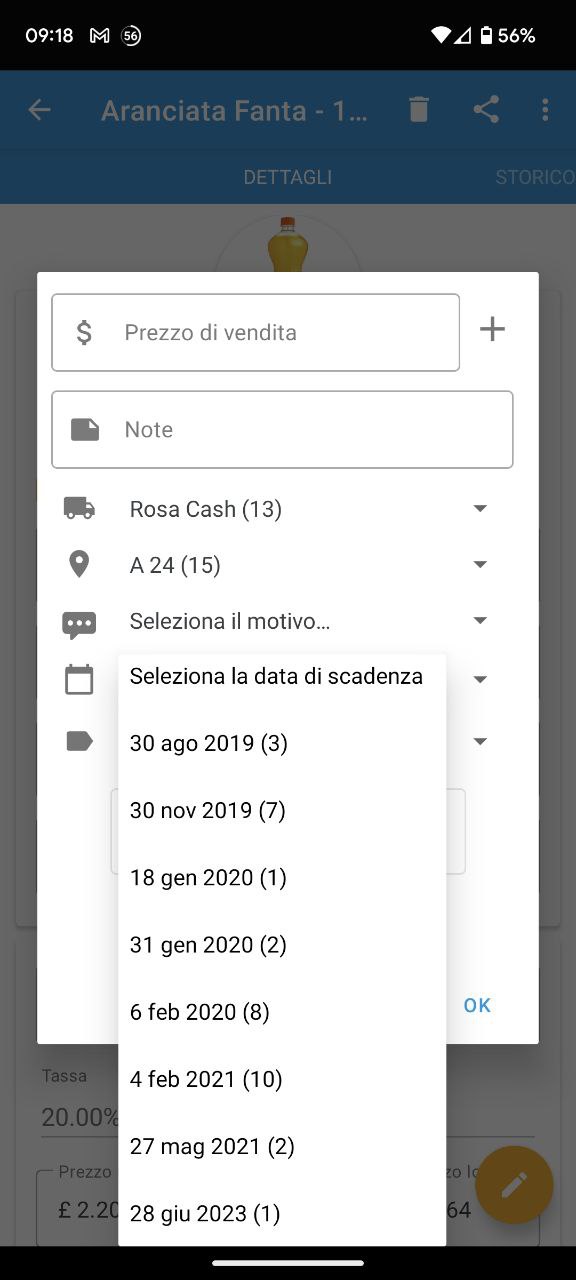
When decreasing product quantity, select an expiry date from those available for the product. The quantity available for each date is shown in parentheses.
To unload several expiry dates for the same product, perform multiple unload operations and choose a different date each time.